 For server owners
Saved-board maintenance
Inspect saved games and explicitly remove a record when necessary.
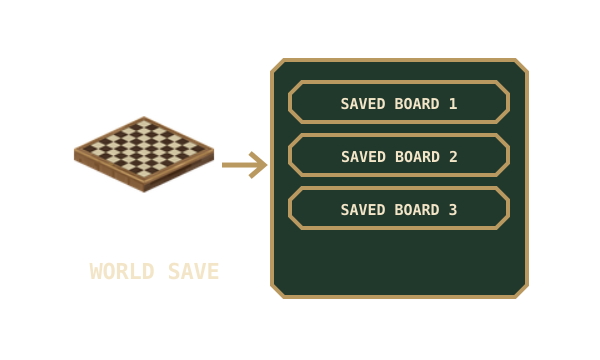
Saved games are kept in the server world. A board in a chest, an offline player’s inventory or an unloaded area may still refer to one of those records. There is no automatic age-based deletion.
Inspect before changing anything
Section titled “Inspect before changing anything”These commands require operator permission level 2.
| Command | Result |
|---|---|
/mctabletop board_saves stats |
Shows the number of saved board records. |
/mctabletop board_saves list |
Lists the first page of records. |
/mctabletop board_saves list <page> |
Lists a numbered page, starting at 1. |
/mctabletop board_saves inspect <UUID> |
Shows that record’s ID, game and move count. |
An inspection summary does not reveal the concealed cards themselves. A record’s age is not evidence that its item has been lost.
list shows ten records per page, ordered by UUID. Use the returned UUID with inspect; the board’s item name or game type is not a unique record identifier. Several saved Chess games can coexist.
A saved board will not restore
Section titled “A saved board will not restore”- Check that the item is in the same server world where the game was saved.
- Use a complete, empty table of the correct size, and fit it as the owner or an operator.
- Close any open board screens and try again.
- Inspect the saved record if you have its UUID. A missing or already-consumed record cannot be restored by copying the item.
A refused restore leaves the held item unconsumed. Keep it while investigating. A fresh board starts a fresh game; it is not a replacement reference to the missing match.
Preserve games during maintenance
Section titled “Preserve games during maintenance”Back up the complete world, including saved data and inventories, before moving a server or removing records. Restoring only a chest or player’s inventory can leave its board references out of step with the world’s game records.
Records are consumed when a saved board is successfully fitted. A growing count can simply mean players have put more games away. Unloaded chests, offline inventories and distant areas can still hold valid saved boards, so old records should not be treated as disposable.
Remove a specific record
Section titled “Remove a specific record”/mctabletop board_saves remove <UUID> confirm
This deliberately invalidates the saved game. Every board item pointing at that UUID loses the ability to restore it. Back up the world first and remove only the specific record you intended. Other saved games are separate records.
There is no command here to guess which unloaded items are orphans or to delete every old game automatically.
Where the state lives
Section titled “Where the state lives”Removed board games share the world’s Overworld saved-data store, named mctabletop_board_games, including when a table is in another dimension. A board item holds an opaque UUID reference; concealed cards and future randomness remain in the world record.
Fitting a saved board validates the record version, game ID and complete game state before consuming the record. Duplicate items pointing at that UUID do not make duplicate matches. Records associated with other UUIDs are independent.